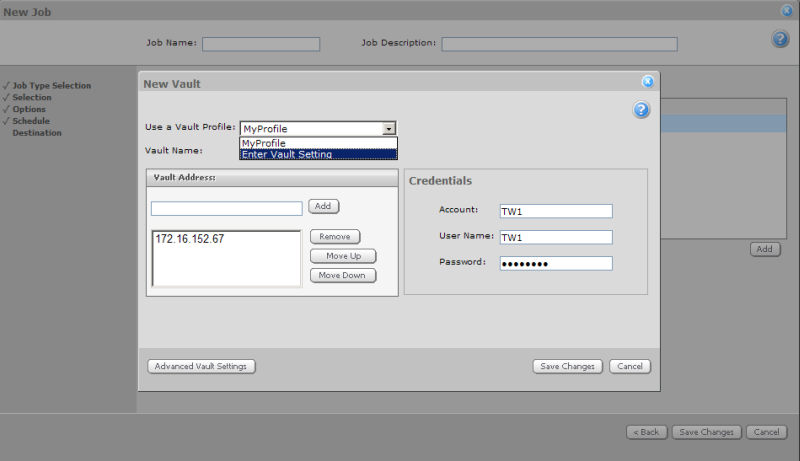
The information required to configure your vault is provided by your Vault Service Provider (VSP). You will need the Vault Address, an Account, User Name, and Password.
Your service provider may have set up a vault profile for you. In this case, the vault profile will contain the information needed to register with the vault. To apply a profile, select one from the Use a Vault Profile menu.
If you are not using a vault profile, select Enter Vault Settings from the menu. Enter the address (full domain name) of your vault in the Vault Address field, and then click Add. You can add and remove addresses, as well as move them up and down in the list according to your preference. A vault can have more than one address if it has multiple network interface cards (NICs). The order in which you specify the addresses determines the order in which the Agent will attempt to connect to the vault.
Enter your Account, User Name, and Password in the Credentials fields.
Click Save Changes to complete the Job configuration, or click Advanced Vault Settings if you wish to configure advanced settings such as ports and connection variables.