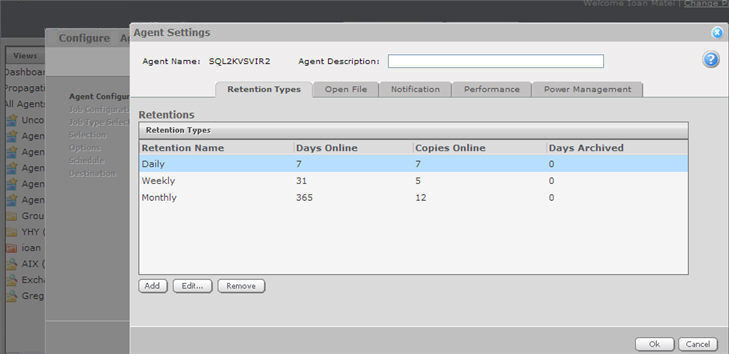
Retentions are defined and set manually through the Retention Types tab:
There are 3 predefined retentions. They can be modified as necessary, but they are useful when you create a retention scheme for the first time. You can create more retentions (up to 10 in total, including these 3). The predefined (default) retentions are as follows:
|
Retention |
|||
|
Daily |
7 |
7 |
0 |
|
Weekly |
31 |
5 |
0 |
|
Monthly |
365 |
12 |
0 |
Days Online defines the number of days a backup is kept on the vault. Once the expiry date is reached, a backup is deleted. Online storage is used to store data so that it is readily accessible. When data is stored online, recovery operations are initiated immediately without any operator intervention on the vault side.
Copies Online indicates how many copies of the backup are stored online. It functions in a first in/first out manner. Once the number of copies is exceeded, the oldest copies are automatically deleted until the actual number of copies matches the definition.
Days Archived indicates how long the data is stored offline. Archive storage is used to store data offline for long periods of time. This data is not immediately accessible since it is stored remotely. A greater amount of time is required to restore from archive media. Typically, only long-term data archives are stored offline. The parameters for archived data are from 0 to 9999 days.
Assuming that at least one successful backup has been completed for the Job, there will never be less than one copy of its backup online. This is true even if all retention settings are zero, expiry conditions have been met and the Job definition is deleted from your system. Deleting the Job does not affect data on the Vault. Only your Service Provider can remove Jobs and their associated data from the vault. This is a safeguard against accidental or malicious destruction of data.
Note: Days Online and Copies Online work together. Both conditions must be met before any backups are deleted.