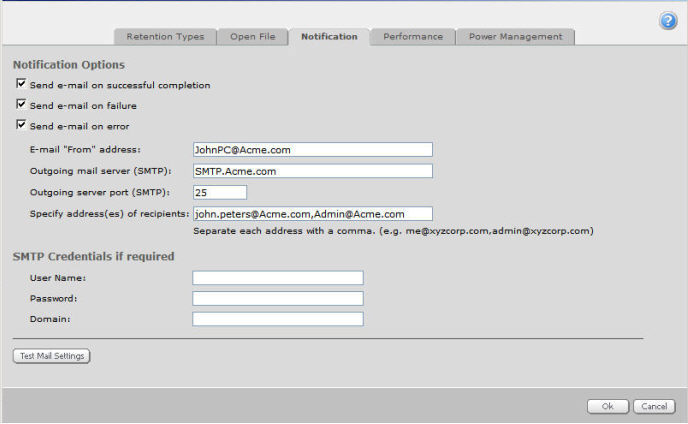
You can optionally receive e-mail notification after a successful or failed backup.
To configure e-mail notification, click on one or more of the checkboxes to select/de-select these options:
Send e-mail on successful completion: There may be warnings in the log file, but you can still recover files from this backup (safeset).
Send e-mail on failure: No backup occurred. You cannot recover any files from that backup (safeset).
Send e-mail on error: There are errors in the log file. You cannot recover the files that have the errors, but you can restore others from that backup (safeset).
Note: To see all conditions for each backup session, check all of the boxes. You will receive only one e-mail per backup session (whether you check one, two, or all three of the boxes).
In the E-mail "From" address, enter the address from which the notification will be sent. This can be any syntactically correct address.
In the Outgoing mail server (SMTP) field, enter the network address of the SMTP that will send the e-mail.
Enter the recipient e-mail address(es), separated by commas. These should be real, valid e-mail addresses. If one or more is not valid, the transmission to those addresses will fail, and errors will show in the log files.
Your system may or may not require SMTP credentials.