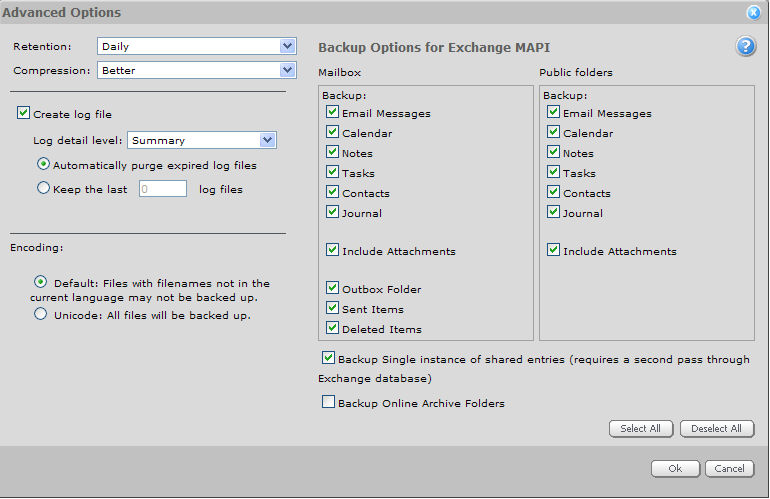
In addition to the standard advanced options for retention, compression, and logging, the MAPI Advanced Options page allows you to specifically select the items that you wish to back up.
Note: If you disable the "Email Messages” backup option, you will not back up any email, regardless of what else you select.
Encoding:
By default, files whose names are not in the current language may not be backed up. The "Unicode" setting includes all files in the backup, regardless of the types of characters that appear in their names.
Backup Single instance of shared entries:
By customizing Jobs independently, you can reduce both the size and time of your backup, while still backing up the items that you want.
By default, if you have attachments with multiple recipients, you will back up all occurrences (including duplicates) of attachments and messages. You can normally use this setting if you don't have many duplicate attachments.
If you know that you have a large number of duplicate attachments, you can let the backup scan for them beforehand, and only keep one occurrence of a shared entry ("Backup Single instance of shared entries"). Use "Backup Single instance of shared entries" to perform a second pass through the entries to find all duplicates. This extra scan may take more time, but you will use less storage space.