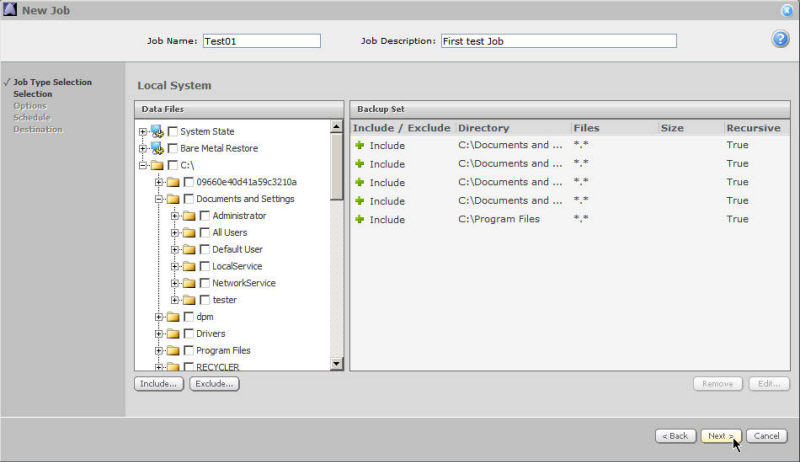
System State: See How to Back Up System State
Bare Metal Restore: See System Restore - Bare Metal Restore
Ordinary files and directories
Select the files and/or directories that you wish to include in your backup by clicking the checkboxes in the Data Files pane. Click Include.
The recursion and filtering page will appear. Specify your preferences, and then click Save Changes.
To exclude files or directories from your backup, check their boxes in the Data Files pane, and then click Exclude.
You can continue to specify files and directories for your backup. Click Next when your selection is complete.
Note: You must select at least one item to include in your backup Job.
Note: The Agents do not support backups of virtual hard drives (VHD).