Advanced Backup Options: These options are available through the Advanced Backup Options button.
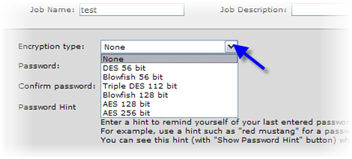
Encryption type: If you wish to store your data in encrypted form, select the type of encryption that you wish to use. You can skip this step if you do not want to encrypt your data.
Select one of these encryption types from the menu:
None
AES 128 bit (Advanced Encryption Standard) - very high level cipher strength with very low processing overhead - recommended
AES 256 bit - extremely high level cipher strength with greater processing overhead
Blowfish 128 bit
Blowfish 56 bit
DES 56 bit (Data Encryption Standard)
Triple DES 112 bit
If you choose to encrypt your data, you need to enter an encryption password. When you create your password, keep in mind that the password is not maintained anywhere else. Thus, losing your password means that you have lost access to your data! The recovery of files requires you to remember the encryption password that was entered when the files were backed up.
Note: The password is case sensitive.
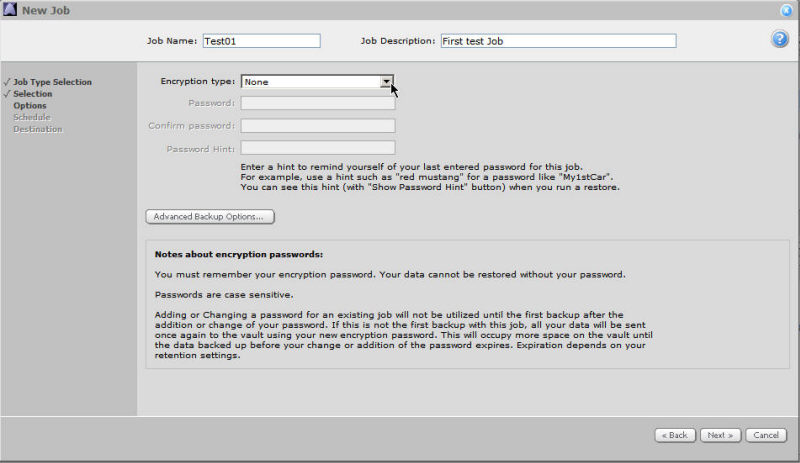
Password Hint: You can enter a Password Hint to remind yourself (on a restore) of your last entered password for this Job. For example, you may use a hint such as "red mustang" for a password like "My1stCar". You can see your password hint (with the Show Password Hint button) when you run a restore.
The hint should only be something to remind you of the password (rather than the password itself, or part of it). The password itself is not kept anywhere on the system.
Click Next to save your information and proceed.
Choosing to encrypt your data means that all backups for that Job will be encrypted with that encryption password, from this point forward (i.e., it does not apply to previous backups). If you change the encryption options, it will force a new full backup. The next backup session will take longer than previous delta backups, and the amount of data stored on the vault will increase temporarily, depending on your retention settings.